Set up sound for sleep, focus and everyday spaces
Published by VoidWorks Pte. Ltd.Last updated:
A useful sound setup starts with the place and the task. Reduce avoidable distractions, select one comfortable sound and check it from the position where you will listen. Then choose a clear stopping point. These guides turn the Pinterest checklists into a repeatable routine for your bedroom, desk, office or travel day.
Choose a Sound for Home, Office, Travel or Sleep
At home, identify the distraction before adding a sound: a television, hallway conversation and traffic each behave differently. In an office, respect shared spaces and choose headphones if personal audio would disturb colleagues. During travel, keep announcements and the surroundings you need to monitor audible.
For sleep, consider a speaker and a quiet timed wind-down rather than assuming headphones or all-night playback are necessary. For focused work, a sound with little variation may be easier to ignore than one with recognizable speech. Biaura includes speaker-friendly noise and ambience alongside binaural choices that use stereo headphones. Choose the setup that suits the situation, including silence when it works.
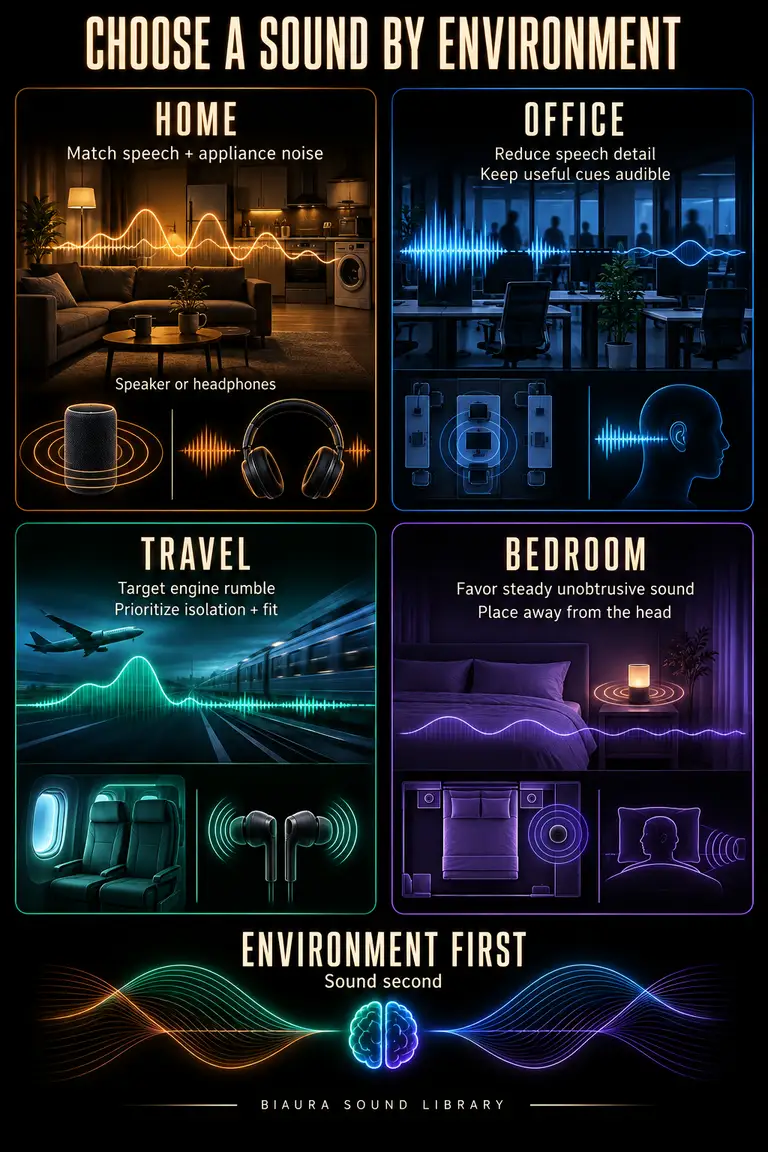
Match Background Sound to the Distraction
Describe what is bothering you in ordinary terms: rumble, clatter, words, rhythm or sudden peaks. That gives you a direction for comparison. Pink or brown may be worth trying for low sound; white or pink may overlap more with crisp detail.
Make environmental changes first. A closed door or a different seat may help without adding exposure. Then test one background quietly and see whether the distraction becomes less distinct. Avoid trying to overpower an uncontrollable source. The masking guide distinguishes adding a background from isolation and active cancellation.
Bedroom Sound Setup Checklist
Before bed, make a short check:
- Reduce avoidable noise at its source where possible.
- Choose a stable, uncovered place for the speaker away from bedding.
- Listen from your pillow position and set a low comfortable level.
- Check that alarms and important sounds remain audible.
- Start with a timer and compare how you feel after the session.
Quiet is a valid default. Keep the routine only if it seems useful, and reassess if you wake more often or feel less rested. The sleep science guide explains the evidence and limitations.
Build a 30-Minute Focus Sound Session
Use this as a planning template, adjusting the time to your day:
- Minutes 0–3: define one task and clear the distractions you control.
- Minutes 3–5: choose one low-level sound, or quiet, and check comfort.
- Minutes 5–27: work on the task without changing the audio repeatedly.
- Minutes 27–30: note what you finished, stop playback and take a break.
Thirty minutes is a convenient block. Choose a shorter block if that fits better. Save a useful Biaura preset so your next session begins with the work itself. Compare similar tasks over a few sessions before deciding the sound helps.
Troubleshoot Background Sound That Feels Distracting
If the background distracts you, identify the problem before changing everything. A sharp hiss suggests lowering the level or trying a softer color. A heavy rumble suggests checking bass response and speaker position. Recognizable voices or repeated events suggest choosing a less eventful recording.
If you keep noticing a loop or transition, test a steadier sound. If speech outside the room remains clear, move or reduce the original source rather than continually increasing playback. When none of the alternatives helps, stop and use quiet. Keep a brief note of the sound, equipment and setting that worked so troubleshooting becomes a small adjustment rather than a daily search.
Try your next listening session in Biaura
Biaura is an iPhone sound app with binaural beats, colored noise, pure tones and ambient sounds. Choose one sound, adjust it to a comfortable level, and set a session timer. Explore the sound library or use the download button below to open the App Store.